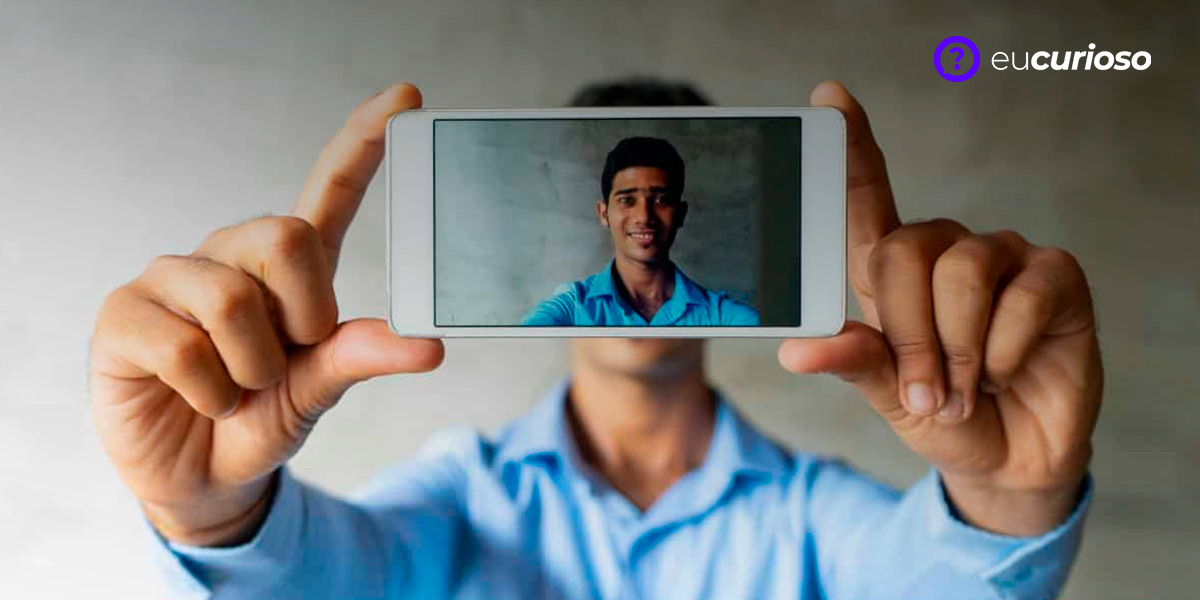
Need a 3×4 photo for documents and don't want to leave home? A 3×4 photo app could be the ideal solution! With them, you can take photos in the comfort of your own home, saving time and avoiding unnecessary travel. In today's digital world, the ease of capturing and processing images through your cell phone has become practically a basic necessity, especially when it comes to documentation.
The 3×4 image is a classic for important documents, such as IDs, passports and professional cards. Having tools that allow you to carry out this process quickly and safely is a relief, and that is precisely why specialized applications are gaining popularity. They help you get a photo with good image quality and editing options so that you are satisfied with the result.
Choosing a good app makes all the difference, ensuring that your photos are accepted without any problems in official documents. In this article, you will learn about the most recommended apps and how to take the perfect photo. Ready to find out which app will help you with this task? Keep reading and find out how to take your 3×4 photo directly from your cell phone.

3×4 photo app for cell phones: features and functionalities
Getting that photo for documents straight from your cell phone has become easier with the apps available on the market. If you need a 3×4 photo, you will find several app options, with very interesting features that allow you to just take the photo, edit the image, adjust the size and remove unwanted backgrounds. And best of all, many of these apps are free or offer paid versions with even more features.
Photo for documents
The Document Photo app is a great free option that allows you to take 3×4 photos and adjust them as needed. With it, you can add brightness and contrast to ensure your photo is suitable for official documents. Its user-friendly interface ensures that you will get a quality photo without any hassle.
If you're wondering about practicality, the app stands out for being intuitive and offering a good user experience. It is available for Android and iOS devices, making it easy for anyone interested in producing quality 3×4 photos in a practical way.
Link to the Photo for Documents app for Android
Photo for Documents app link for iOS
ID Photo & Passport Photo
With ID Photo & Passport Photo, you have a more specialized tool, offering a variety of photo size formats, including the standard 3×4 for documents. This app gives you the chance to take a photo that meets the specifications for passports and other identifications quite easily.
It's simple to use: open the app, take a photo, choose the format, and that's it! In addition to the free version, there is also a paid version with additional features that may be interesting depending on your needs. This app is available for both iPhone and Android users.
Link Photo ID & Photo Passport app for Android
Link app ID Photo & Passport Photo for iOS
3×4 Photo Pro
If you need a more robust app, Foto 3×4 Pro may be the right choice. With it, you can remove the background from the image and create a photo with a custom size, ideal for printing and using in official documents. It is a paid service, but it has advanced tools that justify the investment.
The app offers privacy by not saving photos taken with the camera and not requiring unnecessary data from users. Available for both Android and iOS, this is one of the most recommended apps when it comes to 3×4 photos for documents.
Ready to choose the app that will solve your need to take 3×4 photos? Any of these apps can be a practical and efficient solution. Just download and start using! And remember, checking the privacy policy before downloading is always important to ensure that your data is safe.
Link app Foto 3×4 Pro for Android
How to take the perfect 3×4 photo with your cell phone
Taking a 3×4 photo on your cell phone doesn’t have to be rocket science. With a few tips, you’ll be able to get an image that looks like it was taken by a professional. First, it’s important to pay attention to the lighting, as it can make all the difference.
Now, let's talk a little about the ideal setting. The background for the photo should be clear and preferably uniform, without objects or textures that could distract. Avoid colorful or very busy backgrounds. Regarding posture, keep your spine straight and hold your cell phone at eye level, so as not to distort the image.
Finally, adjust your facial expression: a slight smile is allowed, but no laughing or grimacing, okay? And is your cell phone camera adjusted yet? Check that the resolution is at maximum to ensure good photo quality.. Be careful not to let your hands shake when clicking, you want a clear, blur-free photo. Now just find the perfect light and click. Ready to have a photo for documents taken by yourself?
With these simple tips, you will see that taking a 3×4 photo can be very simple and the results are surprising. Don't forget to check the specifications that each document requires for the photo, ensuring that it will be accepted without any problems. And of course, practice! The more photos you take, the better you will get at it.
And of course, if you already have a 3×4 photo app installed on your phone, it’s even easier to follow all these guidelines. Many of these apps offer guides and automatic adjustments that make the process easier, and you have the freedom to try as many times as necessary until you get the perfect photo. Experiment, adjust, and repeat until you see yourself reflected in the best possible way in that 3×4 photo!
Tips for improving photo quality
A good 3×4 photo isn’t just a matter of pointing the camera and taking a picture. There are a few tricks that will make your photo look more professional. I’ll give you some suggestions on how to improve the quality of your photos, okay?
- Lighting is super important: Look for natural light, that is, near a window during the day, but be careful not to stand against the light, which will create a shadow. The important thing is that the lighting is uniform and does not leave shadows on your face.
- Environment also counts a lot: It's best to have a neutral, clear background; a plain white is ideal. This avoids distractions and ensures that the focus is on your face.
- Frame the photo: Keep your face in the center and leave a little space between your head and the edge of the photo.
- Check your camera resolution: Before taking the photo and if necessary, use editing tools to make that final adjustment. If necessary, check the memory of your cell phone!
These small changes can greatly improve the quality of your 3×4 photo. Taking a photo of an ID may seem complicated, but with these tips and a good app, you can achieve excellent results without much effort.
Good luck and become an expert in 3×4 photos with your cell phone camera!

Editing and saving your 3×4 photo on your phone
After taking off your photo, it’s time to tweak it to make it perfect. 3×4 photo apps offer some very useful tools for this task. You can crop the image to fit the standard size, improve the brightness and contrast so that your expression is clear and sharp. These simple adjustments can make a big difference.
Once you’re happy with your edit, be sure to save your photo in a high-quality format that will maintain a good resolution when printed. When saving, choose a format that’s easy to access and send to print or to anyone who needs your photo.
Here are the steps to save your 3×4 photo:
- After editing, click 'save' or 'export';
- Choose the format you prefer, generally JPEG is the most used;
- Decide the folder on your cell phone where you want to store the image;
- If you want, you can share or email the photo directly from the app.
Remember: if you choose to print your photo, make sure the size and quality of the image are suitable for printing. This ensures that it won’t come out the wrong size. Some specialty stores will print the photo for you, but if you have a printer at home, you can also do it yourself.
By knowing how to edit and save your 3×4 photos, you have full control over the process and can produce quality images whenever you need them. A suitable application is a powerful tool for creating photos for documents, so take advantage of it and keep your photos organized and ready for any situation.
This way, you will see how easy it is to use an app to edit and save 3×4 photos. With a little practice, you will be able to prepare a perfect image for your documents without any complications. Give it a try and you will see how practical and straightforward the process can be.
Conclusion
We have reached the end of our tour of the world of 3×4 photo apps. Now, you have a solid understanding of how these apps can make your life easier when producing photos for documents directly from your cell phone. It's practical, fast and, best of all, it can be done anywhere, without you needing to go to a professional photographer.
Always remember to check the apps’ privacy policy and other users’ reviews before making your choice. The security of your data is important and shared experiences can give you a better idea of the quality and reliability of the app.
Try out the apps we’ve suggested and see which one best suits your needs, whether you’re an iPhone or Android user. These apps are incredible tools that allow you to take a photo, edit it, and even save a digital copy with just a few taps on the screen. Good luck and I hope your photos turn out amazing!