
Did you know that apps to free up space on your cell phone can do a lot for the health of your smartphone? Keeping space free is important because it helps your smartphone run better and faster.
Cleaning apps are great for this because they show you what you no longer need and offer you a way to get rid of it. It’s like having a tech-savvy friend give you advice on how to get rid of it. improve your cell phone performance with a few simple actions.
Continue reading to understand how they work and how you can use them in your daily life. We will talk a little more about the importance of always keeping your device with free space and how apps are practical to help with this task.
Why is it important to clear your cell phone's memory?
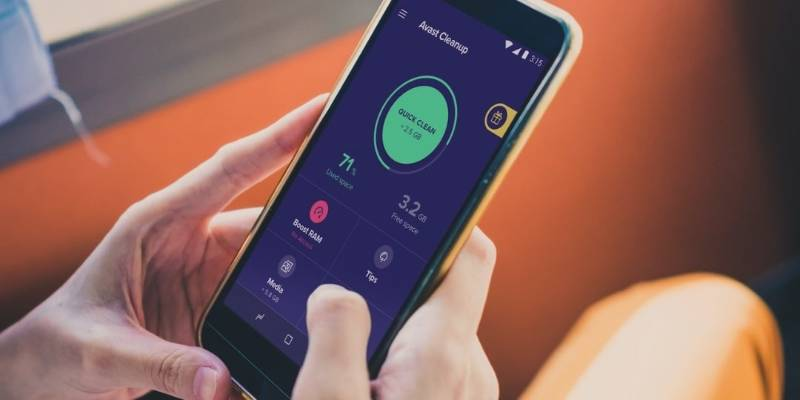
By freeing up space on your phone, you allow the system to operate more smoothly. This happens because the phone needs a certain amount of space to run applications and maintain proper performance. If the memory is too full, your phone may slow down, freeze, and even close programs unexpectedly.
Deleting apps you don't use is a great way to free up space. These apps, even if not open, can take up storage space, affecting the overall capacity of your device.
Keeping your smartphone's storage free of unnecessary content ensures that you always have the space you need to download new apps, update the system, or even store the photos and videos that are important to you.
How can cleaning apps help?
Having an app that frees up space on your phone can be the perfect solution to keep your device running smoothly. A good cleaning app scans your smartphone for files, such as duplicate photos and files that are just weighing down the system.
Many of these apps give you the option to recover files that have been deleted, which is great if you change your mind. There are also apps that can find apps that may be compromising your personal data, offering you more security in your day-to-day life.
Cleaning apps make it much easier for you to manage what you have stored, and they help you both clear unnecessary space and better organize your files and folders. So, if you need a hand keeping everything in place, these apps are a good option.
Google Files
Google Files is an app that helps you get rid of unnecessary files. It can automatically suggest deleting duplicate files, apps you don't use as much, and even scan for other files that are just taking up space.
Another very interesting feature is that anything deleted is available for recovery for up to 30 days. Not to mention that the user interface is very user-friendly and easy to navigate.
CCleaner
CCleaner is well known by those who like to keep their phone in tip-top shape. It shows you which files are duplicates and which are the heaviest ones you have stored.
With just a few clicks, you can do a quick clean and also receive tips on how to keep your phone running smoothly. It's practical for those who don't have much time to waste.
App link on Google Play Store
App link in the Apple Store
KeepClean
KeepClean is for those who want more than just freeing up memory. This app optimizes your smartphone's RAM and also saves battery, so your phone is faster and lasts longer away from the power outlets.
The app has two versions. If you choose the VIP version, you will also have access to exclusive cleaning tools. This is a suggestion for those who want their phone to always be in top performance.
App link on Google Play Store
File Manager by Xiaomi
File Manager by Xiaomi automatically organizes all your files into super easy-to-understand categories. It also provides useful information about your most recent files and even helps you find what you need faster.
The file manager also recognizes a variety of file formats, including music, videos, images, documents, and compressed files. Despite its name, it works on any Android device, so just download it and start using it.
Recommendations before using apps to free up space on your phone
Before using an app to free up space on your cell phone, it's a good idea to take some precautions. Backing up your most important files, such as photos and videos, can prevent unwanted losses. You can use cloud services like Google Photos to save these memories securely.
Another tip is to check your gallery and the files you haven't opened in a while. We often accumulate a lot of duplicate images and videos or those that are no longer needed. Manually deleting these files can free up a good amount of storage space.
Check and remove apps that you have downloaded and are no longer using. Deleting old messages and media from messaging apps can be a great way to free up space on your device.
Conclusion
Keeping your device free of unnecessary files not only improves performance but also prevents slowdowns, but it's important to use these apps wisely.
If you spend all your time looking for files to delete, you may end up using unnecessary resources on your device. So, use these apps when you really notice that your phone is getting slow or that you don't have enough space for something important.
Keeping your cell phone with enough storage space isn't just about cleaning it, it's about making sure you always have the best possible experience when using your device.