
Did you know that the Android phones have secret codes that can reveal hidden functions and provide important information about the device.? It's like having a master key to better understand the technology in your hands.
Each brand has its own specific codes, and today we will talk about the most common ones for Samsung, Xiaomi, Motorola, and also the generic codes. Using them is simple, but it is important to handle them carefully to avoid losing important information.
Continue reading to understand in detail how these codes work, as well as discover the main secret codes and learn how to use them safely and effectively.
Generic codes

Know the generic codes for android phones is very useful, as they allow you to access various functions and information on your device quickly. Here are some that you need to try now:
- ##7594##: This sequence allows you to change the configuration of your smartphone's power button. Thus, you can set it to turn off the cell phone without needing the confirmation screen. It is a way to speed up the shutdown of the device if this is a desired function before entering the sequence;
- *#31#: Do you want to make calls without your number being visible to the person calling? This code activates or deactivates the anonymous call function. Enter the sequence and make calls without revealing your number for the privacy of your cell phone calls;
- *#*#4636#*#*: This is one of the most interesting codes. By entering it, you will have access to data about the battery, usage statistics and details about the Android version;
- ##7780##: This code performs a soft reset, which will clear all app settings without removing data or apps. It is a useful feature when your phone starts to show minor bugs;
- ##273283255663282*##: this sequence allows you make a backup copy of photos, videos and sounds stored on the device. This way, your files will be saved in case you need to reset your phone to factory settings.
Remember to use these codes carefully and whenever you feel it is necessary. They are powerful tools that can help you maintain your phone and personalize your user experience.
IMEI: enter *#06#
The International Mobile Equipment Identity (IMEI) is like an identity card for your smartphone, and each device has its own. It is super important to know this number in cases of blocking, or if you need to locate your cell phone if it is stolen or lost.
To find out, just type *#06# on your cell phone's keypad, as if you were going to make a call. After that, the screen will show your device's IMEI. Write down this number and keep it in a safe place. And remember, this information is personal, so it's best to avoid sharing it unnecessarily.
Secret codes for Android phones – Samsung
If you have a Samsung cell phone, there are specific codes that allow you to access functions and information that are normally hidden. With these codes, you can diagnose and configure your device in uncomplicated ways.
- *#0*#: This code opens the hardware diagnostics menu and allows you to check different parts of your device, such as the screen, speakers, camera, and sensors. By doing these tests, you can quickly find out if there is something wrong with your smartphone's hardware;
- *#0228#: If you want to check the battery status of your Samsung, this code is the right shortcut. It shows detailed information about the charge, allowing you to understand the health of your cell phone's battery;
- *#32489#: For users who are curious about their phone's firmware version, this code is a way to know if your device is up to date or if it is running on an old version of the Android operating system.
Try these codes when you want to access specific information or diagnose a problem with your Samsung phone. It's like having a little technician inside your smartphone, ready to help you better understand the device that is so important in your daily life.
Secret Codes – Xiaomi
If you are a Xiaomi user, you should know that there are also codes that can help you understand and test the operation of your device.
- *#*#64663#*#*: When you enter this combination in the dialer, can you open the hardware tests menu. In this menu, you can check the functioning of various parts of your smartphone, such as the screen, speakers, camera and sensors;
- *#*#6484#*#*: This code also takes you to a testing menu where you can perform diagnostics on different parts of the phone. If you notice something strange in the way your Xiaomi is working, don't hesitate to use this feature.
These are just a few examples of the secret codes available for your Xiaomi phone. They are a quick and effective way to access useful features and information about your device.
Secret codes – Motorola
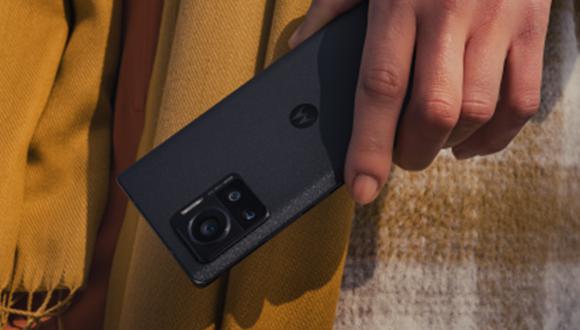
Motorola also has its tricks up its sleeve when it comes to secret codes. If you have a cell phone from this brand, some codes can make your life easier, especially when trying to find out information about your device or test its features.
- *#*#2486#*#* or ##2486##: These codes are used to test the different functions of your device. With it, you can check if everything is working properly, such as the screen, speakers and camera;
- *#*#4636#*#*: This string provides valuable details about your battery usage, app stats, and more.
Try using these codes to learn more about your Motorola phone. They are easy to type and can provide really useful and practical information. Just open your smartphone's dialer, enter the numbers and symbols in the correct order and then enjoy the series of features that will be made available.
Phone functionality test
When you want to make sure that all parts of your phone are working properly, secret codes are a great help. They can test everything from GPS to the functionality of your camera. Check out just a few of them:
- ##1472365##: this code performs a quick GPS test. With it, you can check if your cell phone's location system is working correctly before using navigation or map apps;
- ##34971539##: This code gives you information about your Android's camera. It's good for understanding its functionality and perhaps discovering features you didn't know existed;
- ##2664##: Touch screen testing may seem like something you don't need, but it's always good to check if the screen is responding to touch as it should. Type this sequence and test the sensitivity and performance of your touch;
- ##0588##: this code is used to test your smartphone's proximity sensor.
Before you think something isn't working properly and think about taking it in for repair, try doing these tests. This way, you have a clear idea of what's going on and can resolve it faster. Remember to type these codes carefully!
Conclusion
Passcodes are powerful and accessible tools that can optimize the use of your device. Exploring these codes allows you to unlock hidden features, helping you troubleshoot issues and customize your device to your needs.
We hope this information has been helpful and remember to use them with caution to avoid losing data or changing unwanted settings. These codes are designed to make life easier for users, but they require care when handling them.